Chrome extension: Instagram web scraper

Instagram gives you no way to save a story before it expires, and no way to download a photo or video at full quality. Doing it by hand means screenshots and screen recordings, which lose quality and take time.
Web scraping solves this. It comes down to two steps: fetch the page with an HTTP client, then parse the response for the parts you want. This post is about the extension I built on top of that, not a tutorial on scraping itself.
What it does
The extension downloads photos and videos at full quality, and saves stories before their 24 hours run out.
Right now it works from a pasted link. You give it the URL of a profile, a post, or a story, and it offers a download.
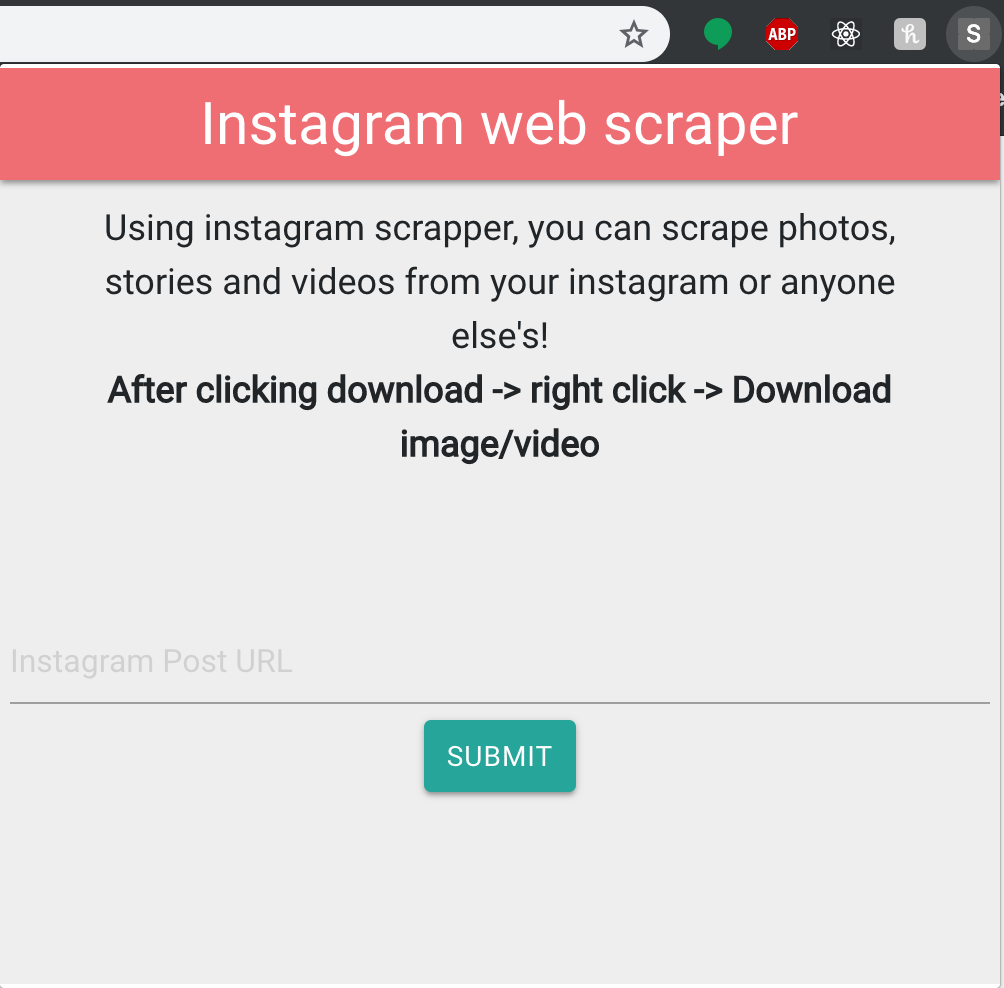
It is clearly still a prototype. The interface needs work and the flow should take fewer steps. Here is what downloading a story looks like today:
How it is built
The front end is React. The scraper and back end are Go.
React was not strictly necessary. Vanilla JavaScript could have handled the popup. But the popup carries a fair amount of state, and React's component model kept that manageable. Publishing was also simple: the build output drops straight into Chrome's extensions page.
Sander Hellesø and I chose Go for the scraper for two reasons:
- We wanted to learn it. Python with BeautifulSoup or Node would have worked, but Go is much faster.
- Colly, a Go scraping framework, gives us caching and parallel, asynchronous requests out of the box.
What is next
Building the first version turned up a few ideas worth doing:
- Click on a photo or video on the page and download it directly, the way you pick an element in Chrome's dev tools.
- Scrape a whole profile. The extension would read the current Instagram URL and pull everything from that account with one click.
- Bundle large downloads into a zip automatically.
If you have other ideas, I would like to hear them.
One obvious limit: for privacy reasons, the extension only works on public profiles.
References
Thanks to Sander Hellesø for his work on this project.
Further reading: